
Rewriting history
Every rewriting verb drives real git. The interactive rebase editor registers Porcelain as GIT_SEQUENCE_EDITOR and hands git the plan you built, so hooks, rerere and the merge machinery behave exactly as they would from a terminal, and a conflict stops in the same continue/abort/skip banner as any other operation. I considered rewriting history in memory and applying the result, but that would've meant reimplementing git's own rules, and getting any of them subtly wrong loses commits.
Interactively Rebase from Here
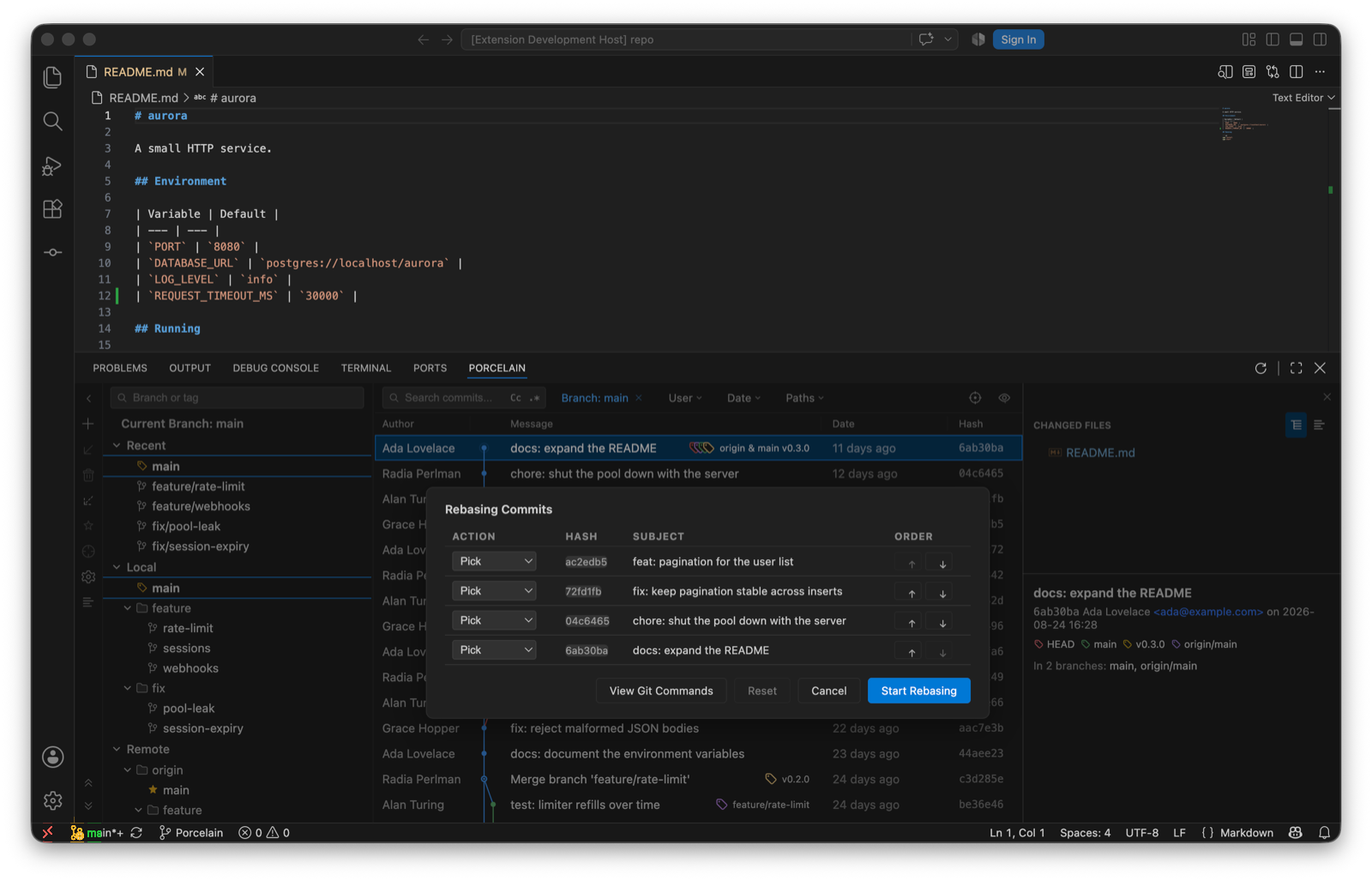
On a commit in the log. It opens a Rebasing Commits table of every commit from there to HEAD:
- pick, reword, stop to edit, squash, fixup, drop per row.
- Inline message editing for reword and squash; a squash concatenates the messages for you to edit.
- Move up and down to reorder. Reset restores the loaded plan.
- View Git Commands shows the exact
git-rebase-todobefore you start.
The one-step verbs
| Verb | Does |
|---|---|
| Edit Commit Message… | Any commit. An amend at HEAD, a reword rebase below it. |
| Squash N Commits… | Select several commits; they fold into one under a combined message you edit first. |
| Fixup… | Commits the working tree as a fixup! of the chosen commit, ready for an autosquash rebase. |
| Undo Commit | Undoes the tip commit and keeps its changes staged. |
| Drop Commit | Removes the commit from the branch. |
| Revert Commit | The inverse commit, keeping history. |
| Reset Current Branch to Here… | Soft, mixed or hard, with confirmation. |
All of these are disabled while another git operation is in progress, with the reason shown in the menu.
Rebase, merge and pull options
Rebase from the branch menu takes --onto, interactive, --autosquash, --update-refs and --rebase-merges. Merge takes --no-ff, --ff-only, --squash, --no-commit and a custom message. Pull takes rebase, --ff-only, --no-ff, --squash and --no-commit. Each is a dialog with the option names git uses, so what you tick is what runs.
When it stops
A conflict in any of them lands you in the Commit view with the Merge Conflicts group and the banner: Continue, Abort, or Skip the current commit. Resolve the files, tick them, and continue. See Merge & conflicts.
The review that shipped these caught a squash that discarded the given message, a squash folding into the wrong parent across a non-contiguous selection, and a 500-commit rebase silently dropping the commits past its cap. Each has a regression test now. If you find another way to lose a commit, open an issue and I'll treat it as the top of the list.