
Push, update & fetch
IntelliJ's sync story is defined by its guard rails, and those guard rails are what keep a repository safe from data loss. Porcelain keeps them.
Push
⌘⇧K opens the push panel: the branch, its target (editable), and a preview of the commits that will go. Options:
- Set upstream when pushing a branch that has none.
- Push tags.
- Skip pre-push hooks.
- Force push, which always uses
--force-with-lease, so it declines when the remote moved in a way Porcelain hasn't seen.
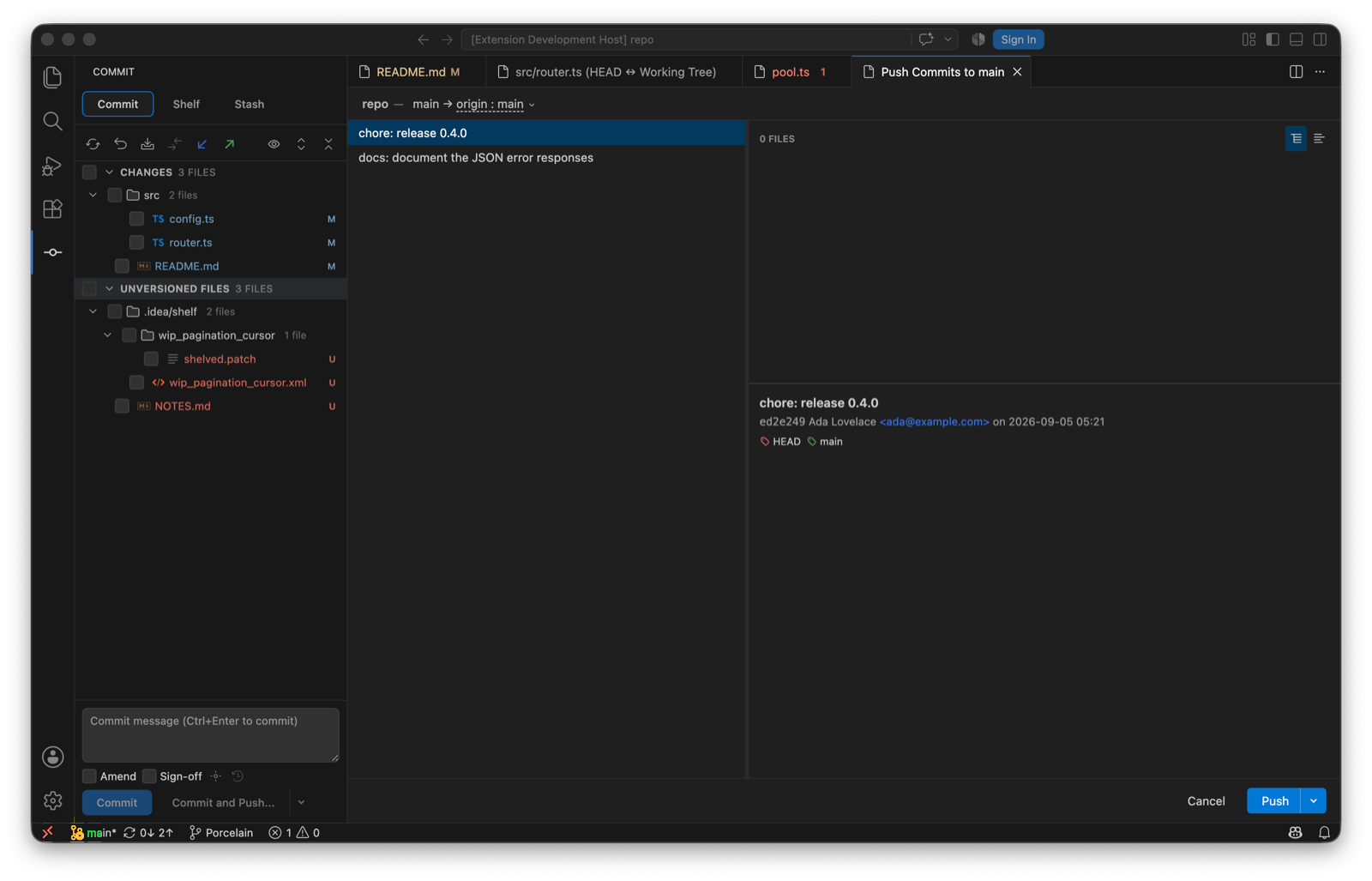
Branches matching porcelain.push.protectedBranches (regular expressions, main and master by default) refuse a force push outright; there's no confirmation to click through. A rejected push offers to update by merge or rebase and try again.
Update Project
One action, in the operations popup and the Command Palette: fetch, then bring the current branch up to date by merge or rebase per porcelain.update.method. Uncommitted work is carried across with an autostash, and the commits that arrived are reported afterwards. Your own rebased commits aren't counted as new.
Fetch
From the branch tree's toolbar. porcelain.fetch.tags chooses whether tags come along: follow the git configuration, always, or never. Incoming and outgoing counts per branch are read from the refs the fetch brought in, so they need no further network. There's no automatic fetch yet; see the roadmap.
Pull
Pull and pull with rebase from the branch menu, with a dialog for --ff-only, --no-ff, --squash and --no-commit. Update Project is the better habit; pull is there for when you want the flags.