
Worktrees & multi-root
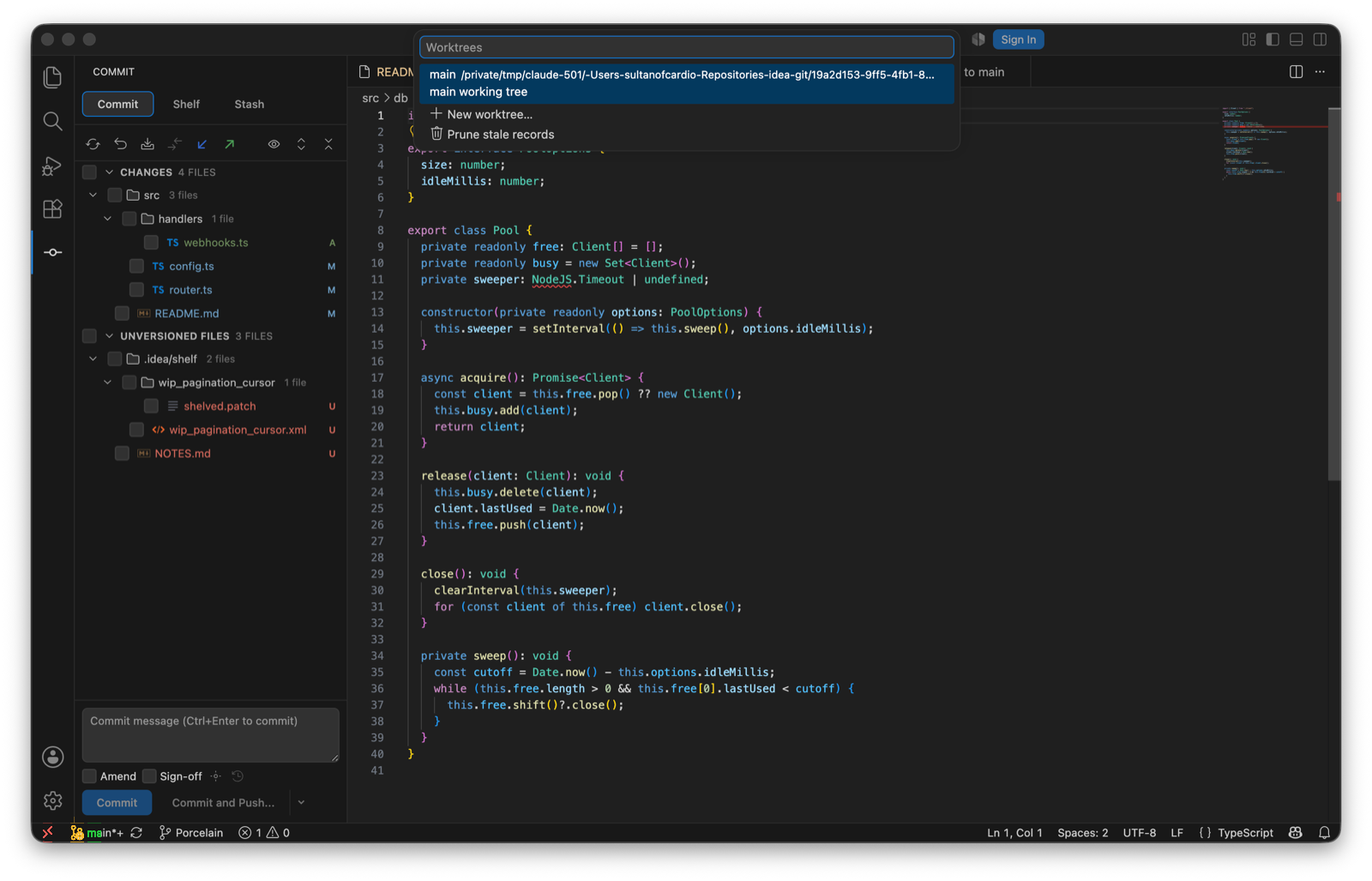
Worktrees…
Lists the linked working trees with their branch and state: main, locked, prunable. Pick one to open it in a new window or remove it (force is offered when git refuses). New worktree… asks for a path, relative to the repository root, then for a branch to create in it. Leave the branch blank and git checks out, or creates, a branch named after the path's last segment. Prune stale records drops entries whose directories are gone. Checking out a branch that another worktree already has checked out is refused, with the worktree named.
Multi-root workspaces
Porcelain discovers one git repository per workspace folder and shows a shared active-repository selector in both Commit and Git Log. Switching repositories clears the repository-scoped state before the new one loads, and an action started against one repository stays bound to it even if you switch while its dialog is open. Nested repositories inside a single workspace folder aren't discovered yet; I've deferred that to a later release.
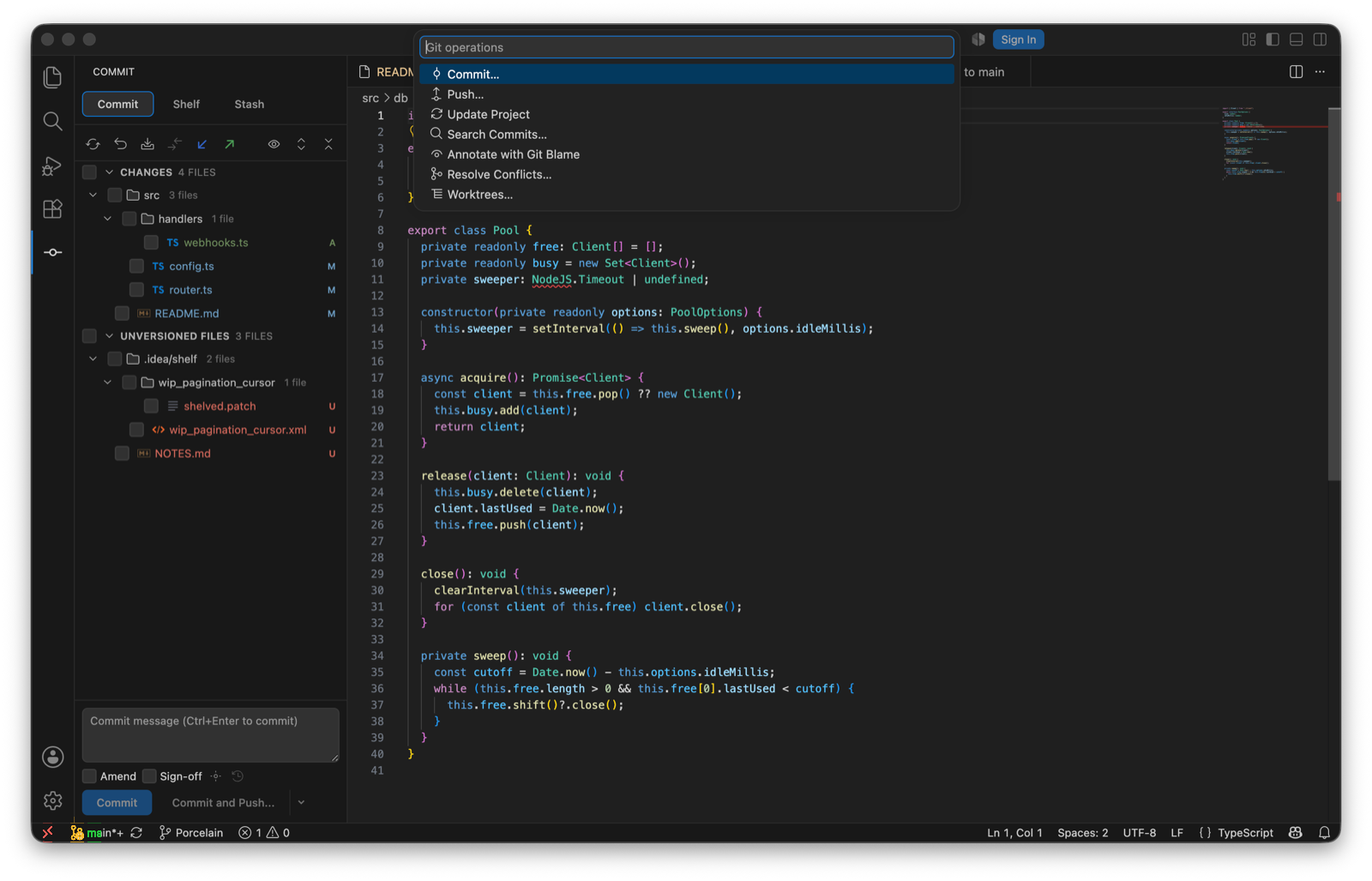
Git Operations popup
⌘⌥G (CtrlAltG) is IntelliJ's Alt+`: a quick list of the verbs you reach for most. Commit…, Push…, Update Project, Search Commits…, Annotate with Git Blame, Resolve Conflicts…, Worktrees….
Workspace trust
Porcelain runs git against the workspace, and the workspace's own configuration and hooks can execute commands, so it stays disabled until the workspace is trusted. It doesn't run in virtual workspaces, which have no local files for git to read.